by · MasLogin · October 15, 2025
MasLogin supports creating and joining different teams. Each team’s plan and environment data are isolated from one another. After a user creates a new team, they become the Super Admin of that team and can add browser environments, team members, and create new member groups. If you want to create a new team, refer to the tutorial below.
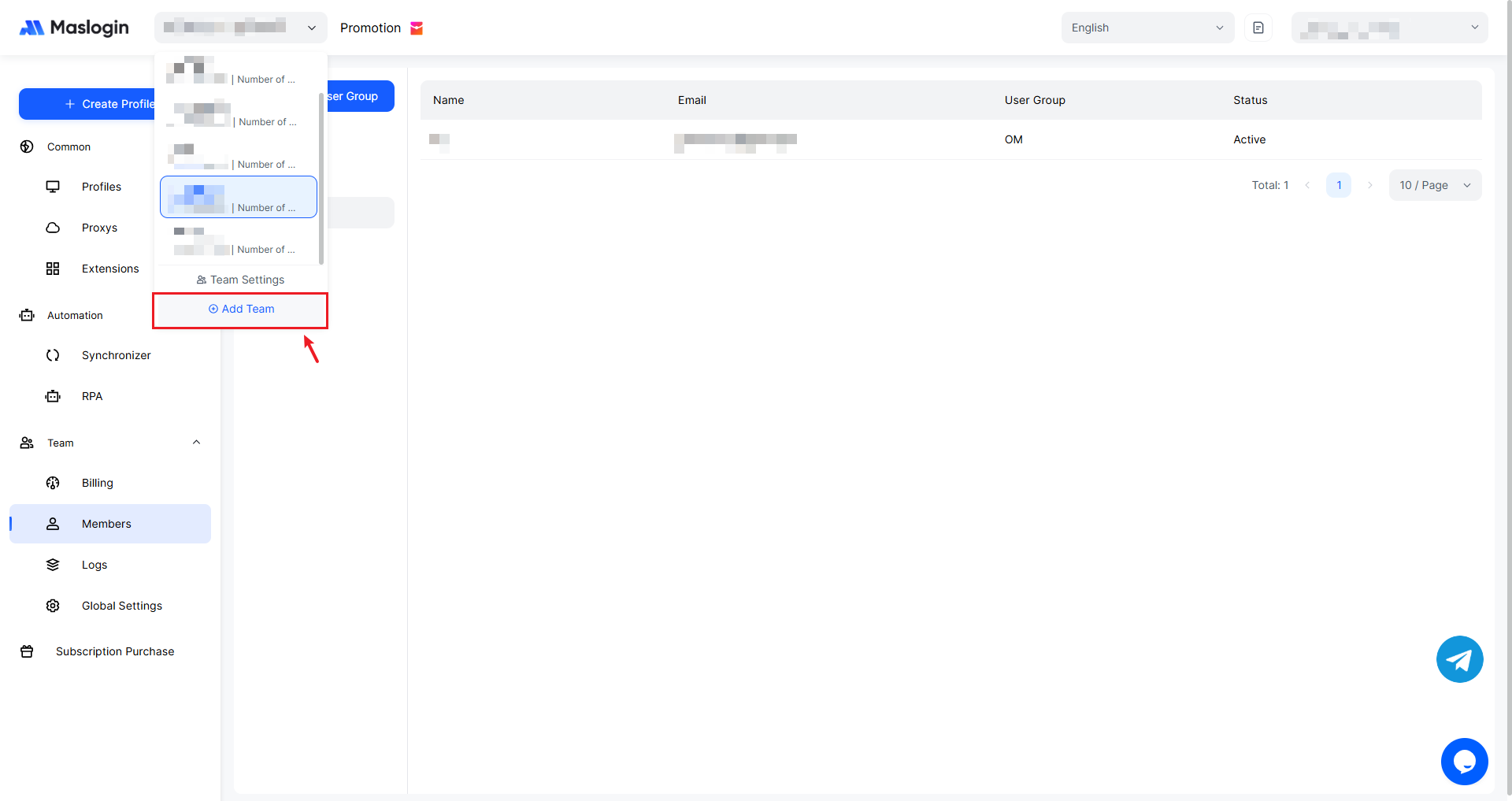
1. Click Add Team
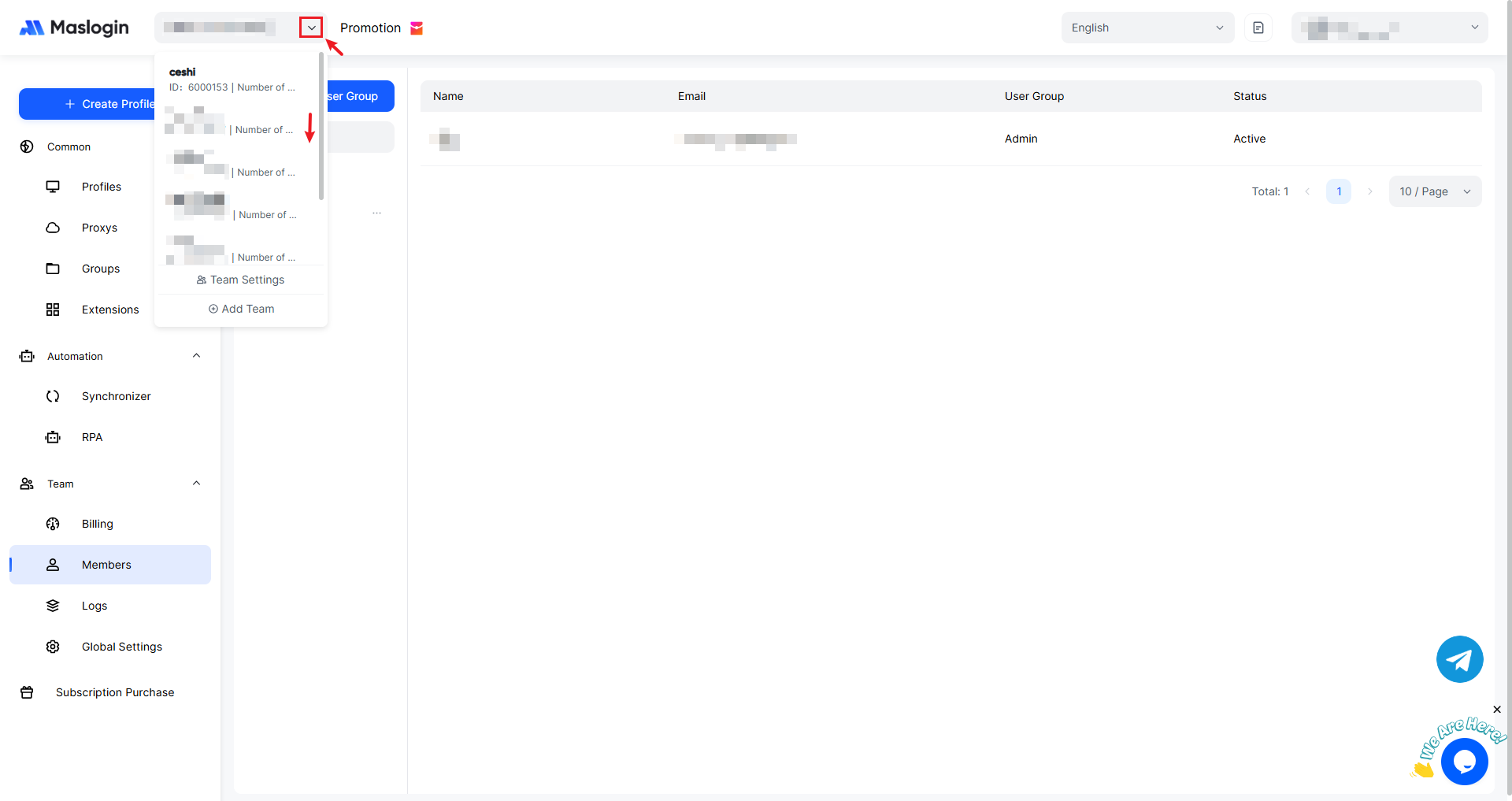
Open the team information drop-down in the top bar and click 【Add Team】.
2. Enter the Team Name
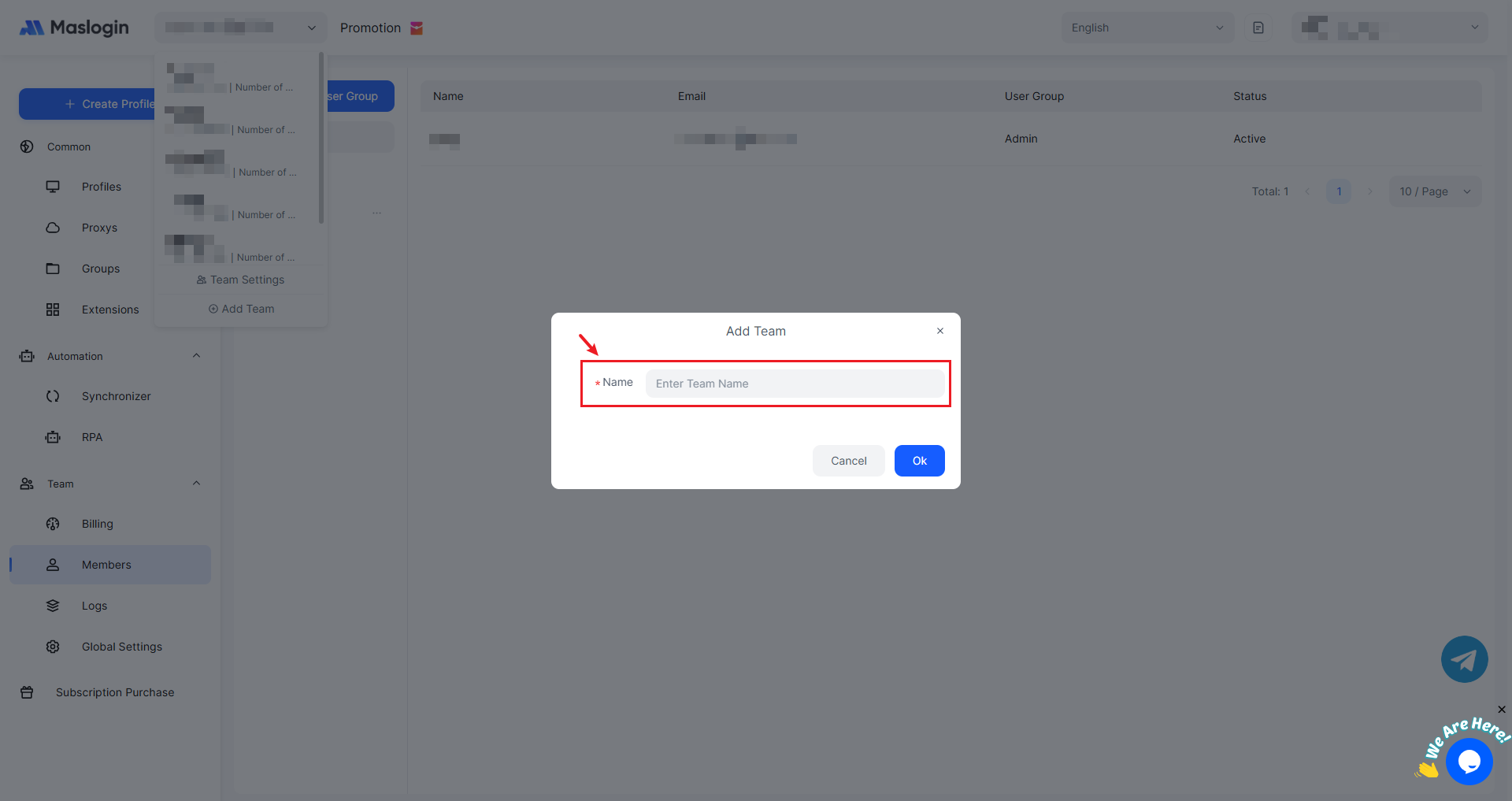
Enter a name for the new team. The team name can be customized and must not duplicate any existing team name.
3. Created Successfully
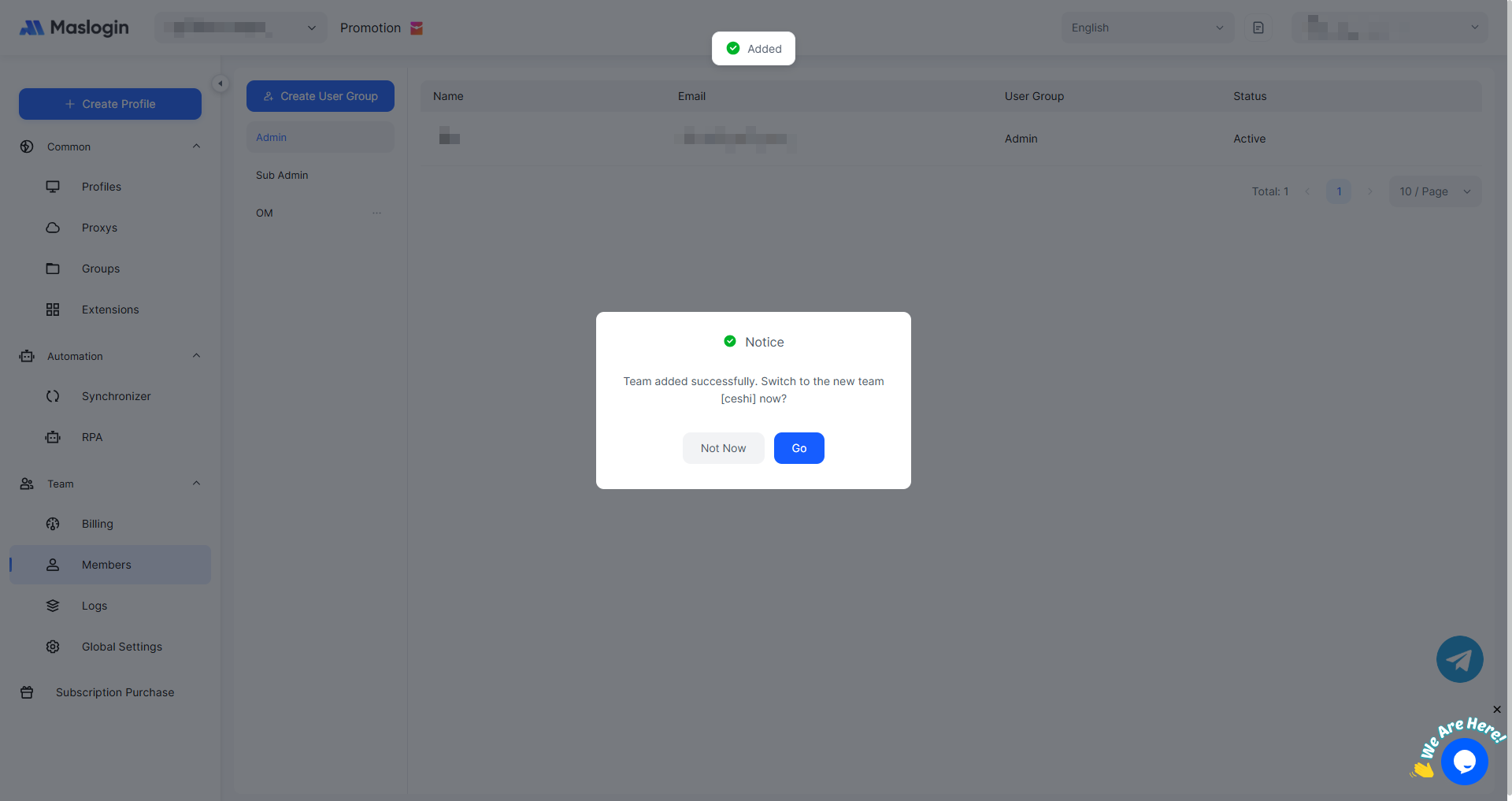
After clicking 【OK】, the new team will be created successfully, and you can choose to switch to the newly created team.
4. View the New Team
Similarly, open the team information drop-down in the top bar to see the newly created team, then click it to switch.